

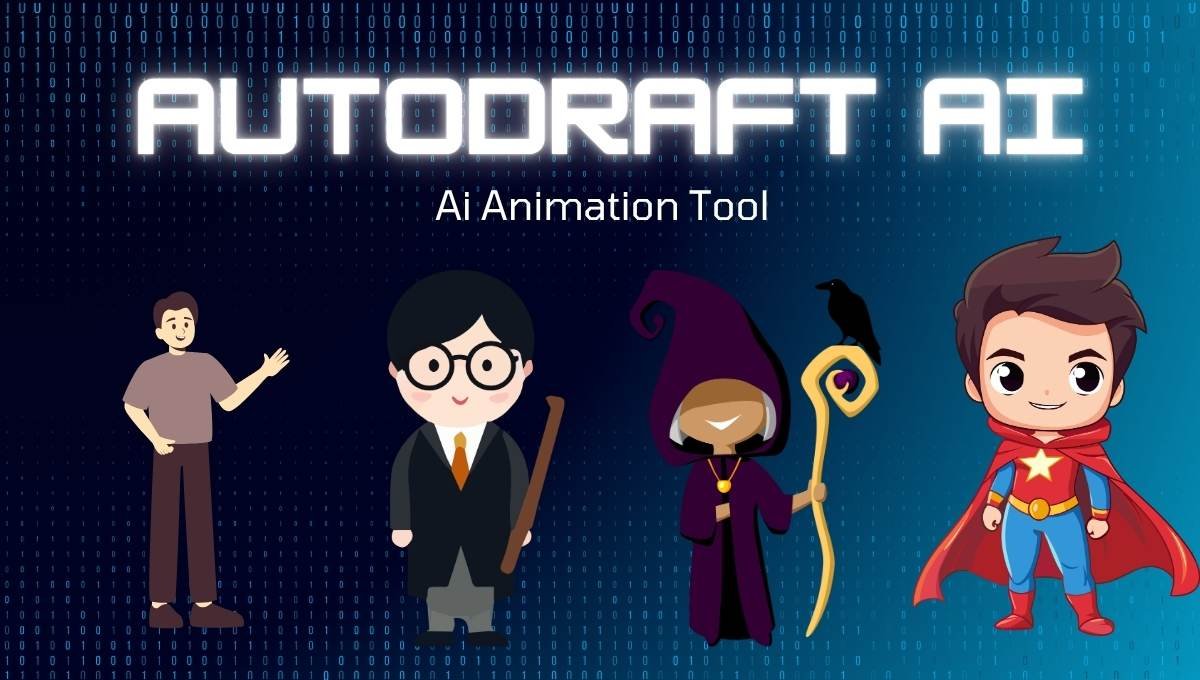
Animation is no longer the prerogative of professional software users in the modern creator economy that has grown at a rapid rate. The game is transforming with tools such as AutoDraft AI, which enable anyone to make animated videos without a technical background. This software is a quick and inexpensive method to create captivating 2d animations, whether you are a YouTuber, teacher, or storyteller.
AutoDraft AI is a cloud animation creator that is an AI-based tool aimed at simplifying the process of video creation. It uses artificial intelligence with animation software to automatically create characters, lip sync, voiceovers and scenes. This is particularly handy in the hands of individual creators who do not need to spend months of learning on how to create an animation but still produce high-quality output.
In this article we will provide complete information about AutoDraft AI, complete guide, features, pricing, how to use, and many more.
What Is AutoDraft AI?
AutoDraft AI is an AI-based 2D animation package that enables users to make animated video content using basic text cues and automation. In contrast with the old methods of animation that demand editing of the frames one by one, it makes the whole process easier and more expedite through its emphasis on speed, user-friendliness and accessibility. It is popular in the creation of YouTube animation channels, education explorer videos, narrative story content, and social media animation clips. Its greatest advantage is that it has all in-one workflow through which users can create characters, add animations, create voiceovers, and create high quality 4K videos, all through the same dashboard.
Key Features Of AutoDraft AI
AI Character Generation: Among the most impressive aspects of the AutoDraft AI, it is possible to create animated characters based on textual prompts. Users will be able to describe a character, and the AI produces a visual version in a few seconds.
The success rate is approximately 70% and this translates to the fact that there are occasions where you might have to adjust your prompt to achieve a higher success rate. It saves a lot of time on the manual creation of characters.
Automatic Lip Sync: The site is capable of automatically matching the voiceovers with the lips of the character. It is optimally used with embedded AI voice and provides a smooth animation without having to adjust it manually. When custom audio is used however, and especially in non-English language, there might be a minor decrease in accuracy.
AI Background Generation: It enables users to create backgrounds of the scene with the help of text prompts. It performs very well with:
- Outdoor scenes
- Fantasy environments
Urban and interior scenes might need some hand adjustments to achieve results.
Multi-Language Text-to-Speech: The platform contains in-built AI voiceovers with support to various languages like:
- English
- Hindi
- Spanish
- French
- German
- Japanese
The voices are natural and this is why they can be used in YouTube videos and in educational materials.
4K HDR Export: Among the greatest benefits of AutoDraft AI is its true 4K exporting. In contrast to most tools, which upscale videos, this platform generates actual 4K output, with HDR capabilities.
Rendering time for a 60-second video is usually between 4 to 7 minutes, depending on complexity.
Mobile App Support: The AutoDraft AI also has a mobile app that has almost all the features as the web version. This is uncommon in animation tools, and it will be comfortable to creators, who like to work on smartphones or tablets.
AutoDraft AI Tools Available At Site
- Character Animation Toolkit
- AI Character Generator
- Image Generator Text to Image.
- Image to Image Tool
- Sketch to Image
- Flat Color to Image
- Storyboard to Image
- AI Background Generator
- AI Image Generator
- AI Video Generator
- Animation Engine
- Lip Sync Tool
- AI Voice Generator
- AI Voiceover Tool
- AI Voice Cloning
- AI Music / BGM Generator
- Scene Builder
- Prop Interaction Tool
- Pose Maker
- AI Inpainting Tool
- Object / Background Remover
- Creative Upscaler
- AI Thumbnail Maker
- AI Editing Tools
- Animation to Script Tool.
How To Download AutoDraft AI APK
Step 1: Understand Availability
AutoDraft does not have an official APK file. It is primarily a web platform and thus, it can be dangerous to download APK on random websites.
Step 2: Do Not Use Unofficial Sources
Do not get APKs on sites and links you do not know. Such files can have malware or other harmful programs that can be detrimental to your machine.
Step 3: Mobile on Official Website
Open your mobile browser and visit the official AutoDaft AI site. Create a free account or log in to use all features securely.
Step 4: (Optional) Add to Home Screen
In your browser, you will tap on Add to Home Screen. This will provide a shortcut app on your phone so that you can access it quickly.
Step 5: Verify Google Play Store
Find AutoDraft AI in the Play Store. When a formal application becomes available later on, then it is safe to install it via it.
Step 6: Begin using the Platform
You can directly access all the tools, such as animation, character creation, and video export, directly in your mobile browser without an APK.
How AutoDraft AI Works
Step 1: Register and create a Project.
Register on the site and log in to the dashboard. Create a new project to get all animation tools and the editing workspace.
Step 2: Set Up Your Background
Create AI prompts to create backgrounds or add your own pictures. Select scenes which suit your story, e.g., outdoor, indoor, or fantasy.
Step 3: Customize Characters and Add
Create characters with text prompts or choose existing ones in the built-in library. Make them look, dress and speak like you.
Step 4: Animate Your Elements
Add in-built effects such as walking, talking or waving to your characters. Drag the schedule and order on the schedule to fit your scene.
Step 5: Add Voiceover and Audio
Create voiceovers in other languages with the help of AI text-to-speech. It is also possible to add your own audio files and background music or sound effects.
Step 6: Publish and Export
Check your animation and do some final corrections. Record the video in HD or 4K and share it on YouTube and social media.
AutoDraft AI Pricing Plans
It is based on a credit-pricing model. Every action (such as rendering or the creation of assets) uses credits, and hence the usage is based on your workflow. The Pro annual plan will lower the price to approximately $29/month or Rs. 3333/month with 18% GST applied, which is one of the cheapest AI animation tools.
| Plan | Price | Credits | Features |
| Free | $0/month | ~30 credits | HD export, watermark, limited access |
| Base | $10-$15/month | 500-1000 credits | 1080p export, full library, no watermark |
| Pro | $29-$39/month | 1,500+ credits | 4K HDR export, priority rendering |
AutoDraft AI vs Competitors
When compared to other tools in the market, AutoDraft stands out mainly because of its pricing and AI features.
| Feature | AutoDraft AI | Vyond | Animaker |
| Starting Price | $15/month | $49/month | $12.5/month |
| AI Character Generation | Yes | No | Limited |
| 4K Export | Yes | No | No |
| Mobile App | Yes | No | Limited |
| Ease of Use | Very Easy | Moderate | Easy |
AutoDraft Ai Coupon Codes And Discounts
AutoDraft AI does not hesitate to offer promotions via affiliate programs and social media advertising. Included in some deals are discounted plans like a Pro plan at around 3333 per month with more credits, 4K downloads, and more advanced features, with basic plans possibly being as low as 833 per month with fewer credits and insights. Coupon codes, such as rohit10 or AMB10, are occasionally exchanged in YouTube videos or online advertisements, where a minor discount is provided on monthly subscriptions. These codes are however not active at all times and thus the user is advised to check them when they check out on the official site. Third-party platforms also have cashback offers, particularly to Indian users, although there is no verified universal free coupon at the moment.
AutoDraft AI Video Characteristics
AutoDraft AI is unique in that it allows one to turn text into fully animated videos in a few minutes. Users are able to convert scripts into 2D animation that contains characters, background, lip-sync, props, and camera movements which are automatically automated by AI.
The platform features such options as AI voiceovers, a powerful library of animation with hundreds of actions and expressions, the use of visual tools, such as effects, transitions, and chroma key. It also allows 4K exports of high quality and no watermarks on paid plans. The features of this software make it best suited to produce YouTube Shorts, Instagram Reels, storytelling videos, and videos explainers, and dramatically shortens the production time when using it compared to other methods of animation.
Applications Of AutoDraft AI
It is targeted at a general user base, although it is more effective with certain kinds of content creators.
YouTube Content Creation: The site would be perfect to create animated YouTube channels like:
- Kids content
- Story narration
- Educational explainers
Videomakers are able to make videos fast and have a regular uploading schedule.
Educational Content: AutoDraft AI can be used to prepare interesting lessons by teachers and educators. Animated images make understanding complicated issues easier and enhance student comprehension.
Social Media Marketing: The tool allows marketers to make brief animated videos to be used on such platforms as Instagram, Tik Tok, and YouTube Shorts. These are powerful videos to grab attention and enhance activity.
Storytelling and Entertainment: Animated characters and scenes can help writers and storytellers to make their stories alive. It is particularly effective in horror tales, moral tales and fiction.
Pros And Cons
| Pros | Cons |
| Easy to use, beginner-friendly interface | Limited advanced controls for professionals |
| AI automation saves time and speeds up video creation | Custom character generation can be inconsistent |
| Supports high-quality 4K video export | Credit-based system can be confusing |
| Affordable pricing compared to competitors | Asset library may feel repetitive over time |
| All-in-one tool (characters, voice, animation, export) | Lip-sync accuracy drops with custom audio |
Performance And User Experience
AutoDraft is a beginners-friendly AI that is designed to provide a clean and simple interface that beginners can easily learn to use to create animation despite being a first time user. You don’t need any prior experience or technical skills to start creating videos. In practice, the average user will spend approximately 3 hours to make their first project, though over time, with experience in the workflow, the average user can complete a project in about 1.5 to 2 hours per video. Such speed and efficiency makes it much more feasible than traditional animation tools, which can take days (or even weeks) to create a single animated video.
Who should Use AutoDraft AI?
- Solo YouTube Creators: AutoDraft AI can be used by individual YouTubers who prefer not to learn the trick of complicated animation and instead use it to create animated content. It aids them in creating videos at a higher rate, staying consistent, and creating channels that cover kids content, storytelling, or explainers.
- Teachers and e-Teachers: The platform can be used by teachers and educators to develop interesting animated lessons. It breaks down complicated subjects into visuals and voiceovers to enable students to learn more interactively and easily.
- Social Media Content Makers: Quick animation can be used by creators who create short videos on such platforms as Instagram, Tik Tok and YouTube Shorts. It enables them to produce eye catching content on a regular basis without having to spend a lot of time.
- Storytellers and Script Writers: It can be used by writers who desire to make their scripts animated videos. It particularly comes in handy in horror stories, moral stories, and content based on narratives.
- Small Business Marketers and owners: The tool allows small businesses to produce promotional and explainer videos without having to pay a lot of money to employ designers. It is an affordable method of enhancing branding and marketing.
- Mobile-First Creators: This tool will be useful to users who like to work on smartphones or tablets. Its mobile application has nearly the same functions as the desktop one giving an opportunity to create content on the go.
- Beginners in Animation: AutoDraft AI can be used by people new to animation to easily get started. The platform eliminates the technical barrier and offers an easy workflow to learn and produce fast.
Conclusion
Among the most suitable AI animation tools to use when starting out and creating alone is AutoDraft AI. It makes animation easier with the help of AI and is affordable. Autodraft provides a great value with such features as the character generation, automatic lip sync, and 4K export. It might not substitute professional animation software, but it is sufficient for YouTube creators, educators, and marketers who would like to have quick and low-priced animated videos.
FAQ’s
AutoDaft AI is an application of 2D animation videos on YouTube, education, marketing and storytelling.
Yes, it has free plan, but it is limited in credits and has watermarks.
Yes, the Pro plan does 4K HDR export.
Yes, it is among the most efficient tools to make animated YouTube content.
The key shortcomings are the necessity of limited credits, repetitive resources, and poor character creation.
Read More –
